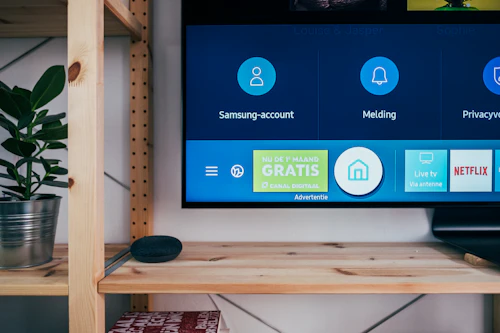
One of the most common causes of TV screen damage that we see at Urban TV Repair is improper cleaning. People use household sprays, paper towels, rough cloths and even newspaper — all of which scratch or strip the delicate anti-reflective coating on modern LED and OLED TV screens. Here is the complete, safe guide to cleaning your TV screen and cabinet.
What Never to Use on Your TV Screen
❌ Window cleaner (Colin, Windex): Contains ammonia and alcohol — both strip anti-reflective coatings permanently. Even one use can cause permanent hazing.
❌ Paper towels or kitchen tissues: Rough paper fibres scratch soft LCD and OLED surfaces.
❌ Newspaper: The ink transfers to the screen and the paper is abrasive.
❌ Regular household cloths or cotton shirts: May contain synthetic fibres or dirt particles that scratch.
❌ Spray anything directly on the screen: Liquid entering the screen edges can damage the panel permanently.
❌ Rubbing alcohol above 10% concentration: Strips coatings on most TV screens.
What To Use for Safe TV Screen Cleaning
✅ Microfiber cloth (dry): The only truly safe option for regular cleaning. Use the same type used for glasses or camera lenses. Available for ₹50 – ₹200.
✅ Distilled water (for stubborn marks): Slightly dampen (not wet) a microfiber cloth with distilled water. Never tap water — mineral deposits can leave marks.
✅ Purpose-made TV screen cleaner: Brands like Scotch-Brite and AmazonBasics make screen-safe cleaning sprays. Apply to the cloth, never to the screen directly.
Step-by-Step Safe TV Screen Cleaning
Step 1: Turn off the TV and let it cool for 15-20 minutes. A dark, cool screen shows dust and smudges more clearly and heat-expanded screens are slightly more vulnerable.
Step 2: Use a clean, dry microfiber cloth. Wipe gently in one direction — top to bottom or left to right. Never circular motions (circular rubbing can leave swirl marks on some coatings).
Step 3: For fingerprints or stubborn marks, slightly dampen a corner of the microfiber cloth with distilled water. Wipe gently, then dry immediately with a second dry microfiber cloth.
Step 4: Never press hard on the screen. LCD panels have delicate layers — pressing firmly can cause permanent pressure marks or damage pixels.
Cleaning the TV Cabinet and Back
The plastic cabinet (bezel and back) is less fragile than the screen but still needs care. A slightly damp cloth is fine for the cabinet — but do not let water run into ventilation slots. To clean the ventilation grilles at the back (where dust accumulates), use a can of compressed air (available at electronics shops for ₹200 – ₹400) or a soft brush. Blocked vents cause overheating — the leading cause of TV main board failure. A yearly vent cleaning can significantly extend your TV's lifespan.
How Often to Clean Your TV Screen
A dry microfiber wipe every 1-2 weeks keeps the screen looking perfect. Deep cleaning (with slightly damp cloth) once a month is sufficient for most households. In Kalyan and Dombivali, where construction dust and monsoon humidity are concerns, slightly more frequent cleaning (once a week) is beneficial.
Screen damage from improper cleaning? Unfortunately anti-reflective coating damage cannot be repaired — the panel needs replacement. Prevent it with the right tools. For any other TV issue in Kalyan, Dombivali, Ambernath or Badlapur, call Urban TV Repair at 9326575236.
Need TV Repair in Kalyan or Dombivali?
Technician arrives in 30 minutes. Rs.200 home visit. 90-day warranty. 7 AM – 11 PM, 365 days.
📞 Call 9326575236Our TV repair services
LED TV repair · LCD TV repair · OLED TV repair · Smart TV repair · Android TV repair · Plasma TV repair
Areas we serve
TV repair in Kalyan · TV repair in Dombivali · TV repair in Ambernath · TV repair in Thakurli · TV repair in Badlapur


